
For students
Classes, study and sleep on one dial
A timetable shows where you have to be. Visdap shows the whole day around it: classes, study sessions, rest and sleep on a 24-hour dial, so you can see when there is still time to review.



- No account
- No ads or tracking
- Works offline
What helps during the semester
The whole day, not just classes
Put classes, study sessions, work and sleep on one circle. Free gaps are easy to spot, and you see whether a late night will eat into your sleep.
Priorities S/A/B/C and checklists
Mark what matters most, from an exam to a reading assignment. Break a big task into checklist items and tick them off one by one.
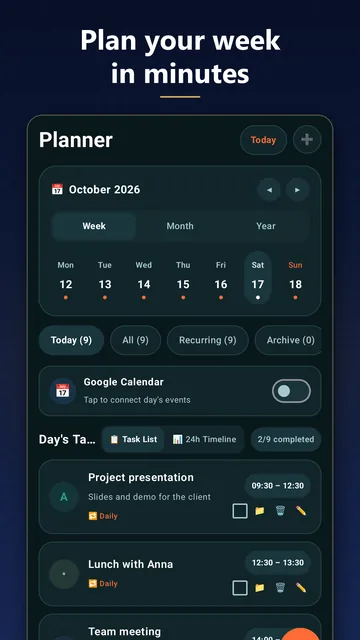
Month and year calendar
See the weeks before an exam at a glance and plan your study days around them. Planning on any date and recurring tasks for regular classes come with Pro.
Reminders on your phone and wrist
Reminders with sound and snooze go off on time. A Wear OS watch shows the day's tasks from your Android phone, and on Windows the dial sits on your desktop while you study.
Questions and answers
Is there a free version for students?
Yes. The free version gives you the 24-hour dial, reminders and widgets with 2 tasks a day. Pro, a monthly or yearly subscription, adds unlimited tasks, recurring tasks and planning on any date; the price is shown in your store.
Can I see my class timetable from my calendar?
On Android, Visdap can show your calendar events next to your tasks, read-only, and it never changes them. On Windows, add your classes as tasks.
Does it work without internet?
Yes. Planning and reminders work offline, so a weak campus Wi-Fi is no problem. Only buying or restoring Pro needs a connection to your store.
Plan today. See all of it.
Install Visdap and plan your first day in a couple of minutes. Free to start.