
Free
- Up to 2 tasks a day
- Your day on the 24-hour dial
- Without an account or ads
Visual day planner
Visdap turns your plans into colored sectors around a 24-hour clock, so one glance shows what's next and how much of today is left.



Free to start
Buying Pro needs an internet connection.
Coming soon: iPhone · Mac
Email me and I'll let you know when it's out
For Android phones, Wear OS watches and Windows PCs.

It's a clock face stretched over all 24 hours. After a minute it reads itself.
Give each task a time, a color and, if you like, a reminder.
Tasks appear as sectors on a 24-hour clock: in the app, in a widget and on your watch.
Reminders with sound and snooze tell you when it's time to switch.
Two short videos: Visdap in 40 seconds, and how projects work.
The videos have no sound.
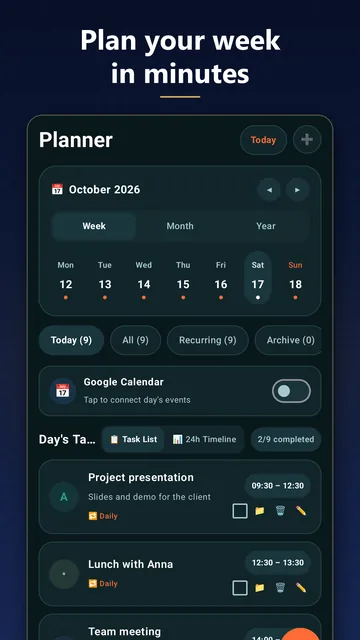
A month and year calendar, priorities S/A/B/C and checklists for every task.
Loud reminders with sound and snooze, right on time.
25 minutes of focus, then a break. Each session is credited to a project with a short note.
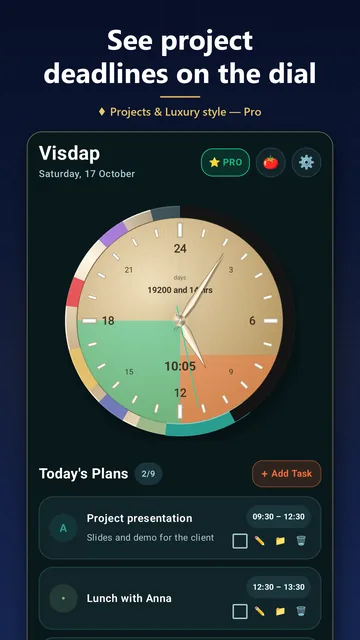
Up to 20 projects. Deadline stripes grow on the dial every day, up to 4 at once.
See how many days you really have, and spend them on what matters.
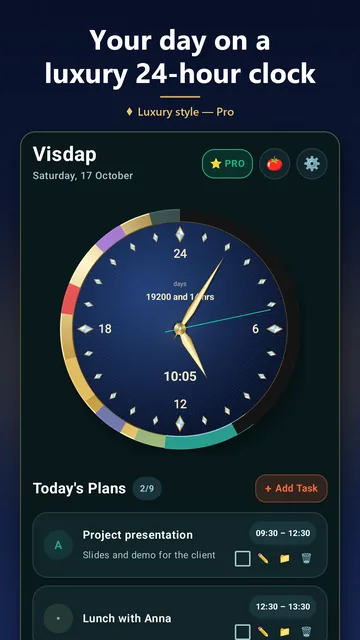
The whole day on one dial, with no AM/PM confusion. Round or square, Arabic or Roman numerals.
A 24-hour clock and a task list on your Android home screen; on Windows the dial sits on your desktop.
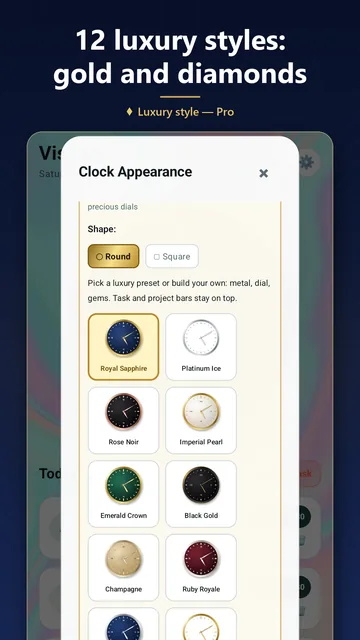
Light and dark themes, your own colors and fonts, and Luxury dials in gold, platinum and gemstones.
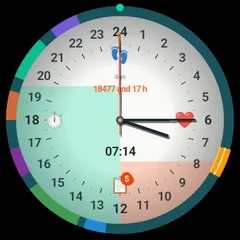
Visdap for Wear OS shows your day on a 24-hour dial right on your watch.
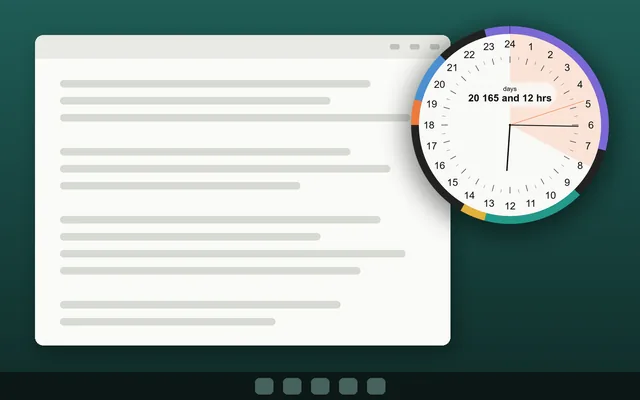
On Windows, the 24-hour dial sits on your desktop and can stay on top of other windows. You see how much of a work block is left without switching apps.
Free · Android 8.0 or newer · Wear OS watches pair with an Android phone
Android widgetFree · Windows 10 (version 1809 or newer) and Windows 11
Windows desktop clockComing soon
Email me and I'll let you know when it's outComing soon
Email me and I'll let you know when it's out| Feature | Android | Wear OS | Windows | iPhone and Mac |
|---|---|---|---|---|
| 24-hour dial with your tasks | Yes | Yes | Yes | Coming soon |
| Home screen widgets | Yes | No | On the desktop | |
| Tile and complications | No | Yes | No | |
| Reminders | With sound | Vibration | With sound | |
| Pomodoro and projects | Yes | No | Yes | |
| Free plan | 2 tasks a day, up to 7 days ahead | Shows tasks from the phone | 2 tasks a day, for today |
Start for free. Switch to Pro when you want more.
Pro is a monthly or yearly subscription. See the price in your store.
If Pro ends, nothing you made is deleted. Free limits only apply to new tasks.
Nothing to sign up for. Open the app and start planning.
Your plans live on your phone, watch or PC. We have no servers, and the app has no ads or analytics.
On Android, Visdap can read your calendar to show events next to your tasks. It never writes to it.
No cookies, analytics or third-party scripts. Store links only tell the store that you came from this site.
Lectures, study time and sleep on one circle, so you can see when there is still time to review.
Work blocks and breaks on the dial, and a Pomodoro timer with Pro.
The day's chores and errands, with reminders at the right time.
For anyone who understands time better when they can see it.
No. Visdap works without sign-up, and your plans are stored on your device.
A calendar lists events. Visdap draws the whole day as a clock, so you see time passing and the free gaps between tasks. On Android it can show your calendar events next to your tasks, read-only, and it never changes them.
Yes. Planning, reminders and widgets work offline. Only buying or restoring Pro needs a connection to your store.
Both are on the way. For now Visdap is available for Android phones, Wear OS watches and Windows.
Unlimited tasks, projects on the dial, recurring tasks, planning on any date, Pomodoro, all clock styles including Luxury and your choice of reminder sound. Pro is a monthly or yearly subscription; the price is shown in your store.
They stay. Nothing you created is deleted; the Free limits apply only when you add new tasks.
No. Neither the free version nor Pro shows ads.
No. Visdap helps you plan and see your time. It is not a medical device and doesn't diagnose or treat anything.
English, Ukrainian, German, Spanish and French.
Write to us by email, we read every message: oleksandr.miletskyi@gmail.com
Install Visdap and plan your first day in a couple of minutes. Free to start.