
Freelance and remote work
Your working day on one dial, deadlines included
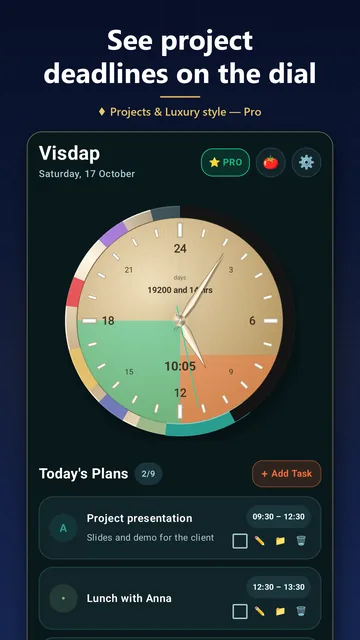
When nobody sets your hours, it's easy to lose the morning and work all evening. Visdap puts work blocks, breaks and the end of your day on a 24-hour dial, and shows how close each deadline is.



- No account
- No ads or tracking
- Works offline
What helps when you set your own hours
Work blocks you can see
Give each client or task a time and a color. You see where your focus time goes and where the working day ends.
Projects with deadlines
Up to 20 projects with dates and stages. Up to 4 deadline stripes grow on the dial every day, and each project shows whether you're on track.
Pomodoro with a log
25 minutes of focus, then a break. Each session is credited to a project with a short note, so you know what the time went into.
On your desk and on your wrist
On Windows the dial sits on your desktop next to your work. On Android it lives in a widget, and a Wear OS watch shows the day's tasks and reminds you.
Questions and answers
Are projects and Pomodoro free?
No, they're part of Pro, a monthly or yearly subscription; the price is shown in your store. The free version gives you the 24-hour dial, reminders and widgets with 2 tasks a day.
Do my plans sync between Windows and my phone?
No. There's no account, and plans stay on each device. Tasks from your Android phone appear on your Wear OS watch automatically.
Does it work without internet?
Yes. Planning, reminders, projects and Pomodoro work offline. Only buying or restoring Pro needs a connection to your store.
Plan today. See all of it.
Install Visdap and plan your first day in a couple of minutes. Free to start.