
For journalists and bloggers
Visdap press kit
Everything you need to write about Visdap: the key facts, a description you can copy and real images from the app.



Fact sheet
- Name
- Visdap: Visual Day Planner
- Developer
- Woder, an independent developer
- Platforms
- Android 8.0 or newer, Wear OS watches paired with an Android phone, Windows 10 (version 1809 or newer) and Windows 11
- Price
- Free to start. Pro is a monthly or yearly subscription; the price is shown in each store.
- Languages
- English, Ukrainian, German, Spanish and French.
- Privacy
- No account, no ads, no analytics. Plans are stored on the device.
- Website
- https://visdap.github.io/en/
- Press contact
- oleksandr.miletskyi@gmail.com
In one sentence
Visdap is a visual day planner that shows your whole day as colored sectors on a 24-hour dial: in the app, in Android widgets, on a Wear OS watch and on the Windows desktop.
Description
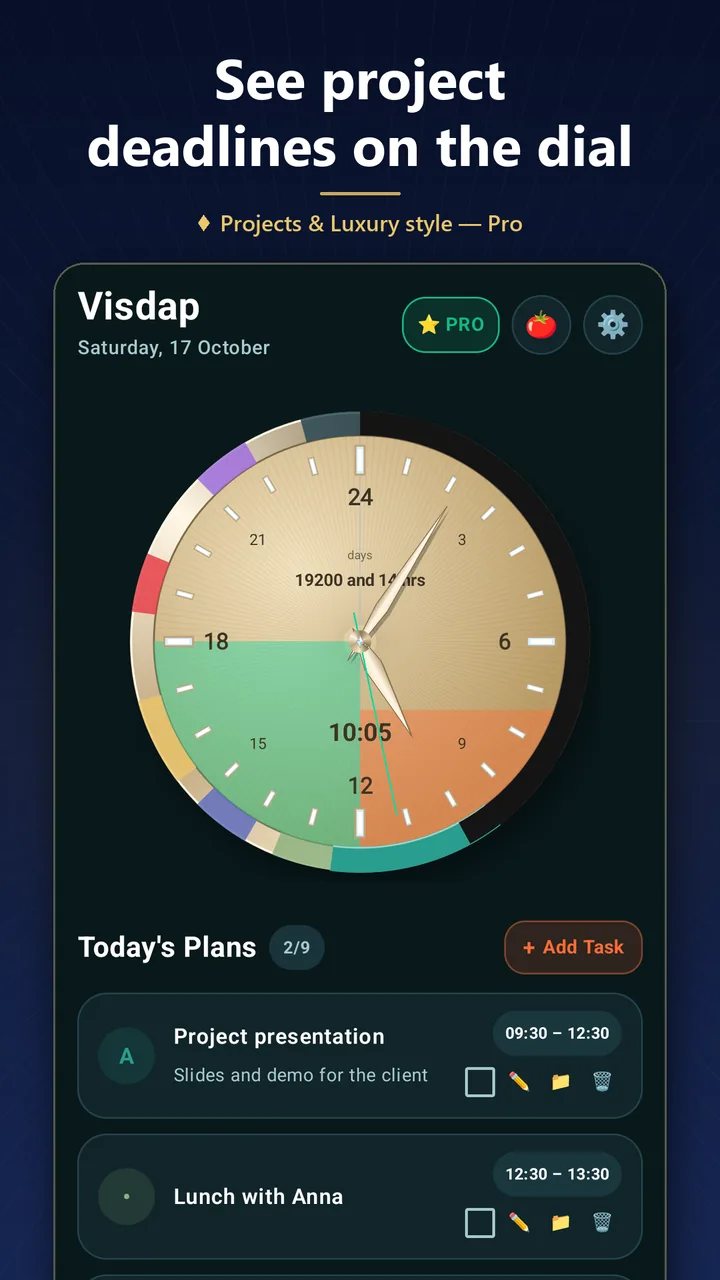
Visdap turns a day plan into a clock. Each task becomes a colored sector on a 24-hour dial, so sleep, work, study and family time fit on one circle. The hand points to the current moment, and the part of the day that has already gone can be darkened, which makes the time left easy to see.
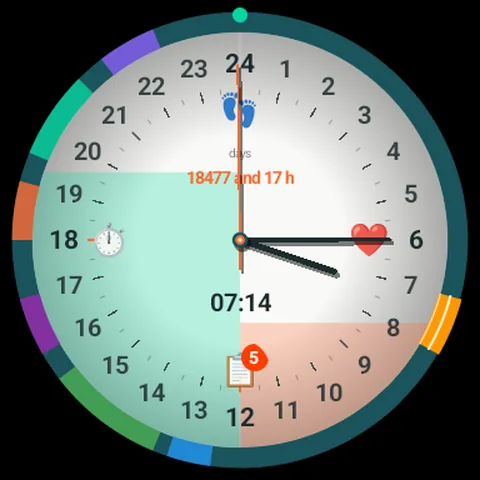
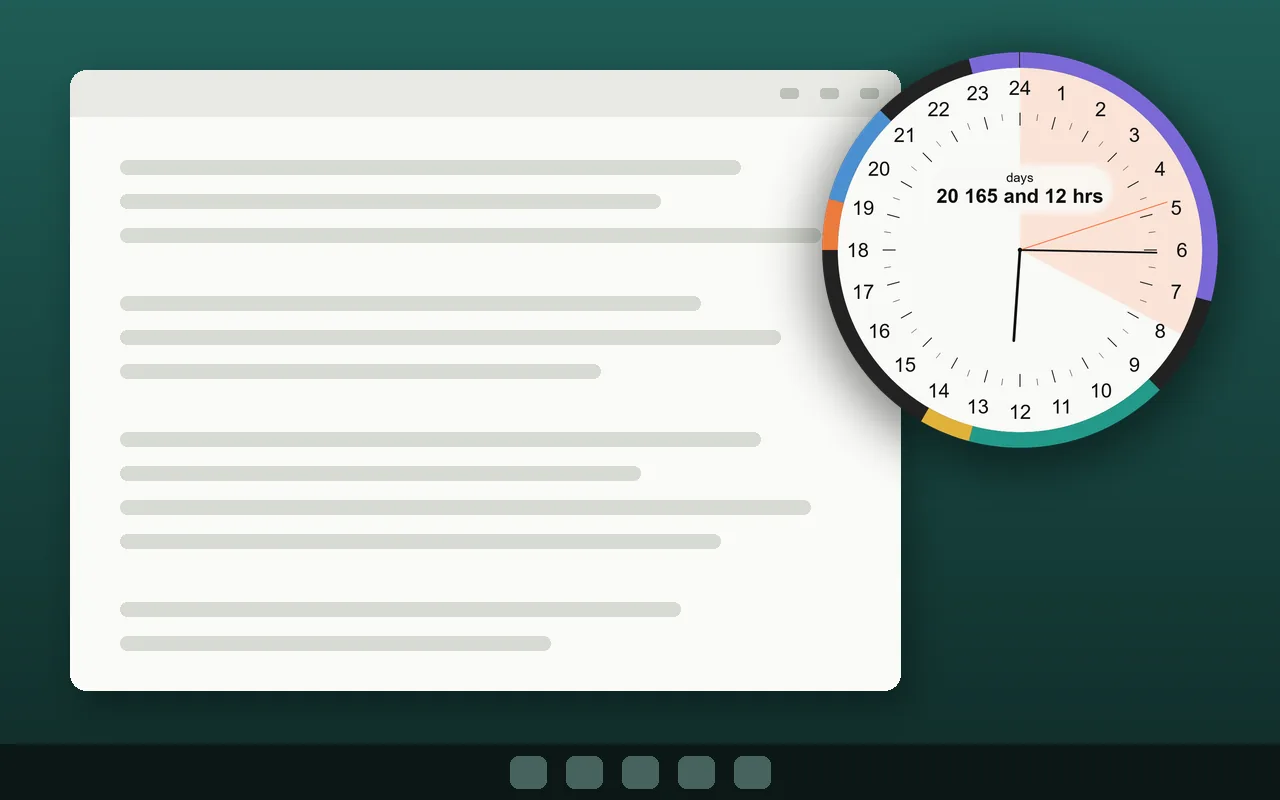
On Android, the dial and the task list live in home screen widgets; on Wear OS, today's tasks appear on the watch with a tile and complications; on Windows, the dial sits on the desktop and can stay on top of other windows. Visdap needs no account and shows no ads. It is free to start, and a Pro subscription adds unlimited tasks, projects with deadlines, recurring tasks and Pomodoro.
Key features
24-hour clock
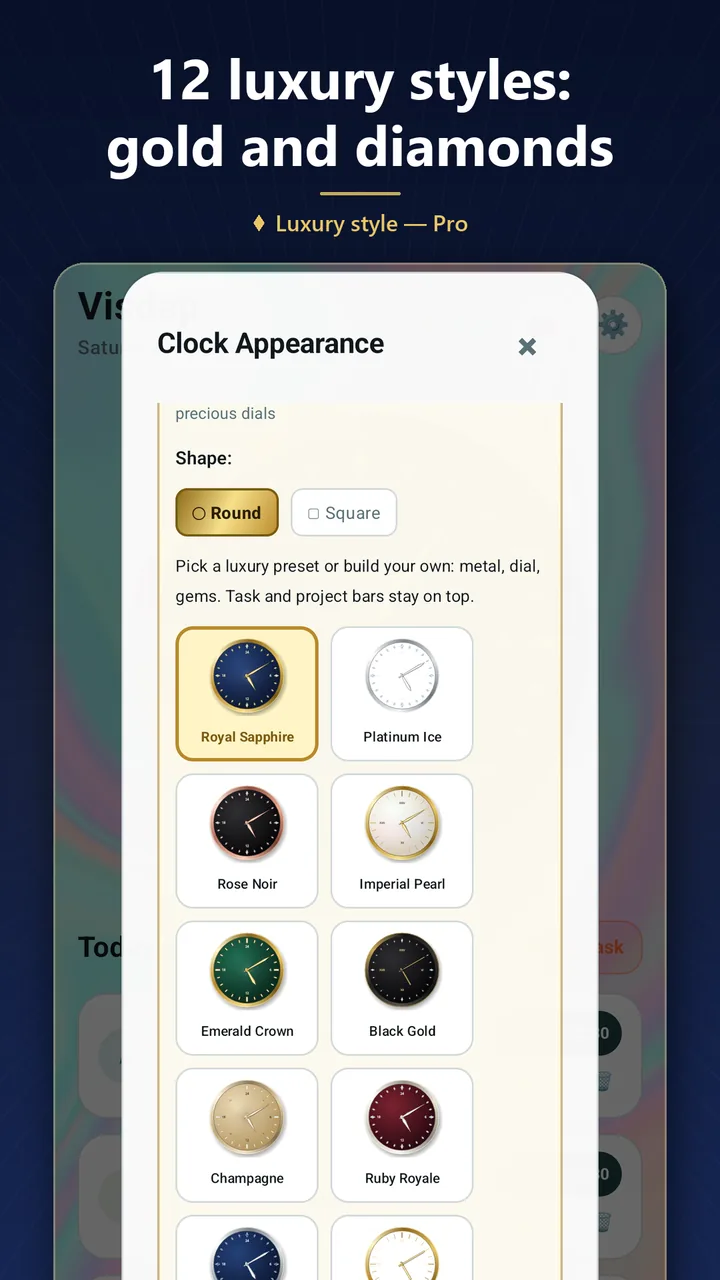
The whole day on one dial, with no AM/PM confusion. Round or square, Arabic or Roman numerals.
Widgets
A 24-hour clock and a task list on your Android home screen; on Windows the dial sits on your desktop.
Reminders you hear
Loud reminders with sound and snooze, right on time.
Plan your days
A month and year calendar, priorities S/A/B/C and checklists for every task.
Projects and deadlines
Up to 20 projects. Deadline stripes grow on the dial every day, up to 4 at once.
Pomodoro with a log
25 minutes of focus, then a break. Each session is credited to a project with a short note.
Images
Screenshots from the Android app, as shown on Google Play. Open an image to save it in full size.
 App icon
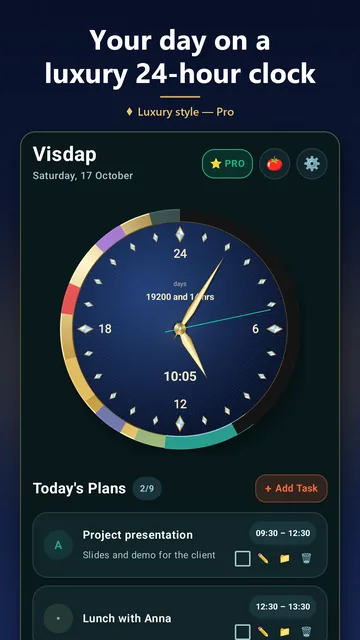 Today's plan on the 24-hour dial
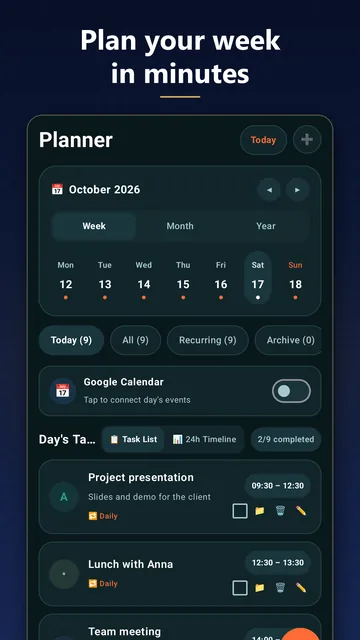 Planner: week, month and year
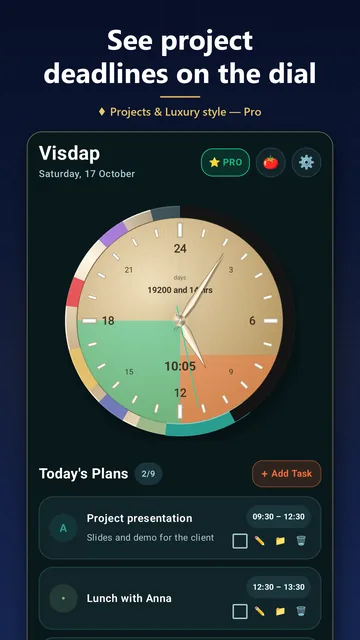 Days left and projects with deadlines
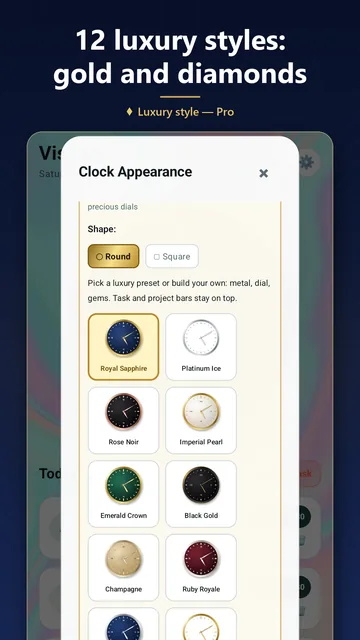 Clock face styles
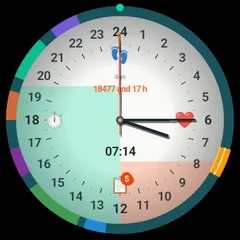 Wear OS
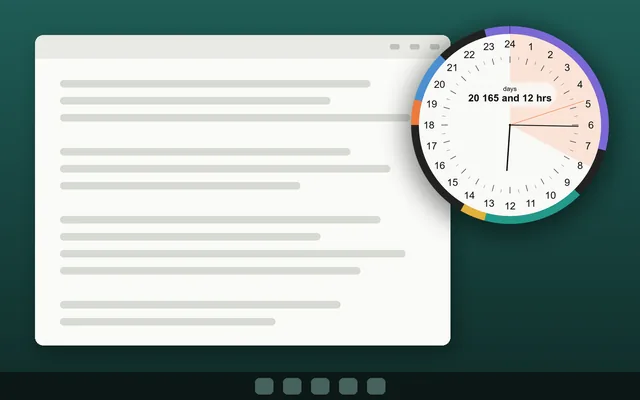 Windows PC

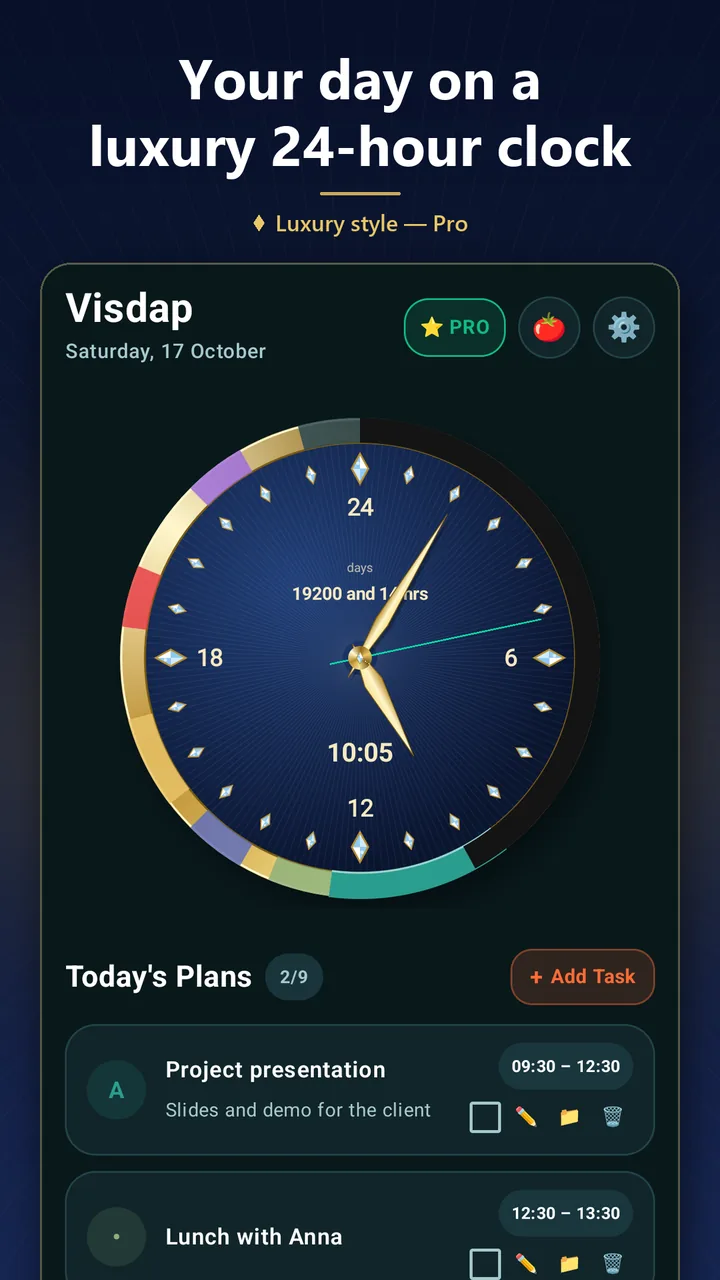
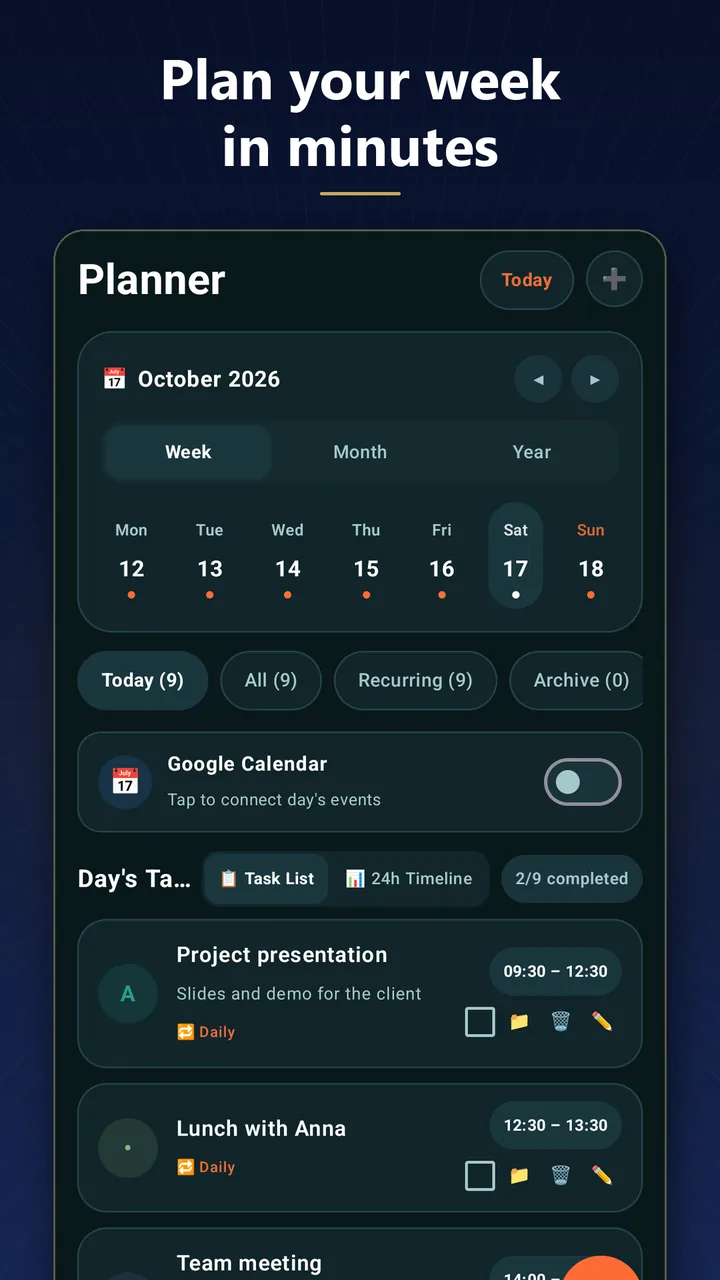
You may use these images in articles and reviews about Visdap. Please don't change or redraw the icon.
Contact
Questions or interview requests? Write to us by email, we read every message: oleksandr.miletskyi@gmail.com